Works seamlessly on
 Shopify
 WordPress
 Squarespace
 Webflow
Plus any page that accepts HTML - no plugin or app required.
Create interactive 3D product presentations with hotspots, animations, and guided tours. Embed on Shopify, WordPress, or any website - no plugins, no developers.
Works seamlessly on
Shopify
WordPress
Squarespace
Webflow
Plus any page that accepts HTML - no plugin or app required.
Shoppers who interact with a 3D product are more confident, spend more time on the page, and return fewer items. Until now, getting that experience onto a product page meant developers, plugins, and expensive platforms.
Model Viewer Studio is a browser-based tool. Load your GLB file, add hotspots and variations, configure the scene, and publish. Your presentation is live at a URL you can embed anywhere - no code, no plugins, no dependencies.
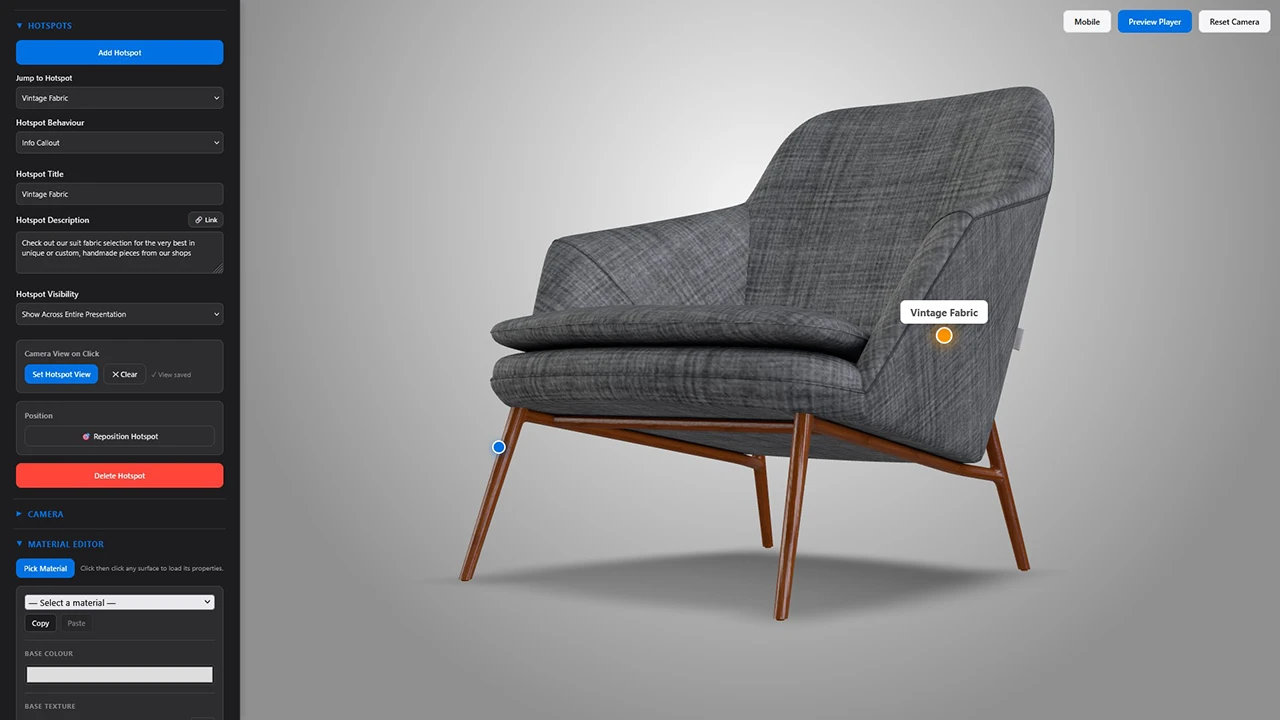
Pin labels to specific points on the model surface. Hotspots stay anchored as the model rotates. Add a title, description, link, or trigger an animation on click.
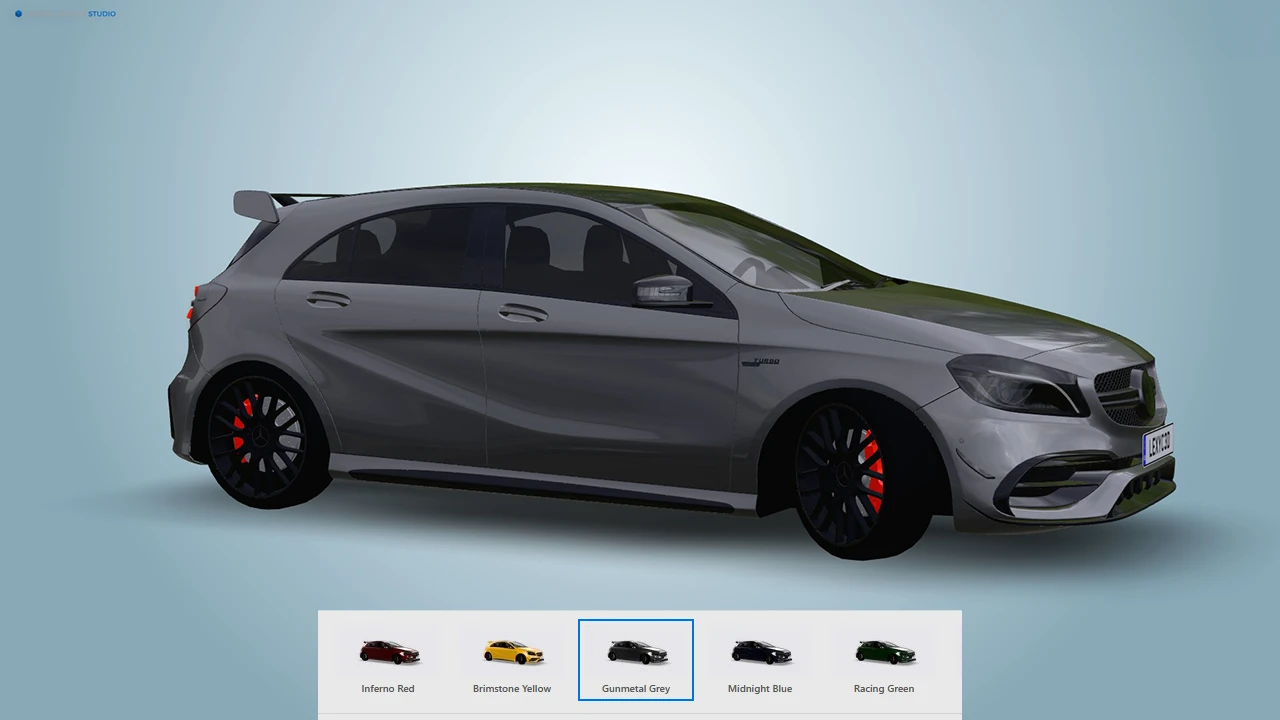
Let customers switch between colours, finishes, and configurations in real time. Each variation swaps materials live with no page reload and no extra files to host.
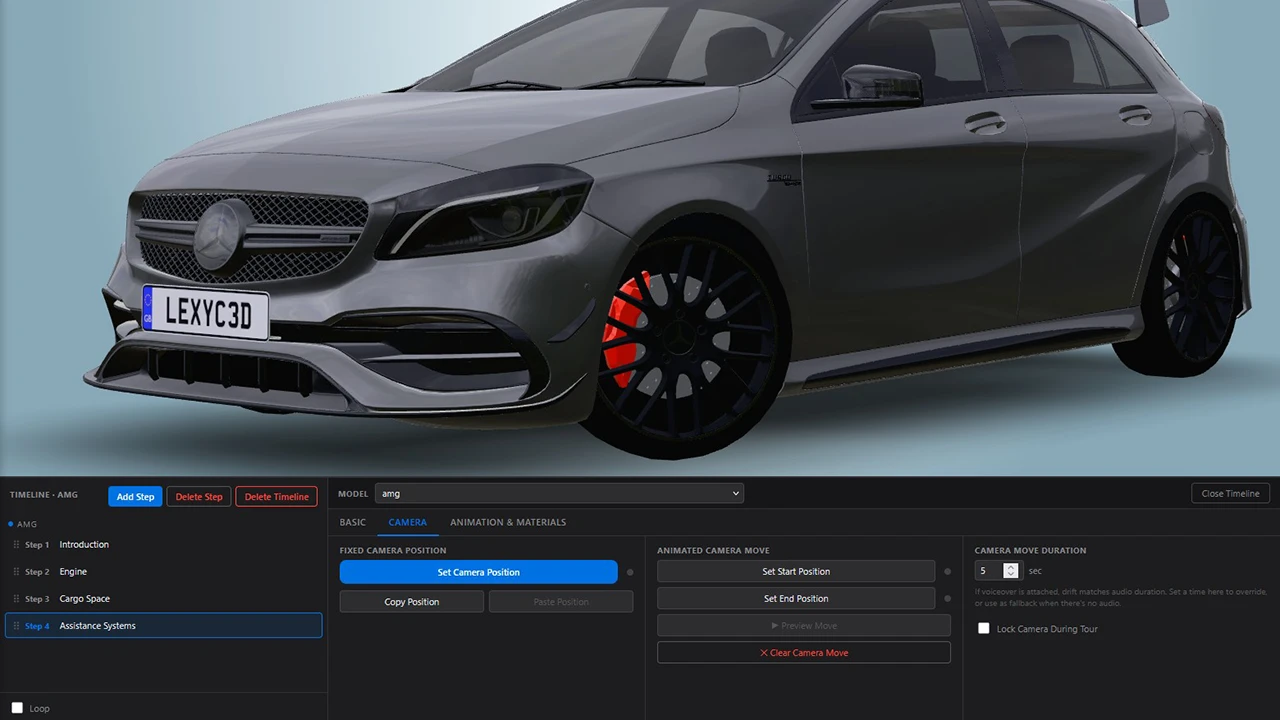
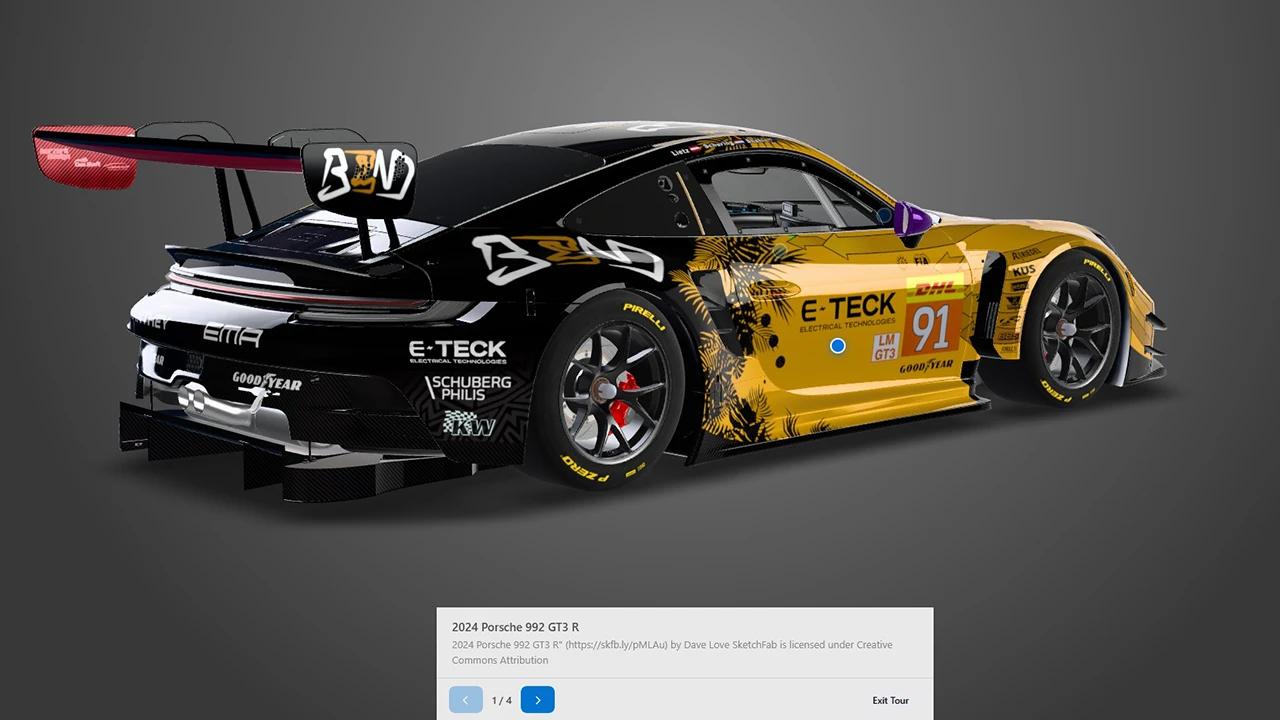
Build a step-by-step story around your product. Each step can move the camera, play an animation, fade materials, show text, and play voiceover audio.

One toggle enables augmented reality. On iPhone it uses Quick Look. On Android it uses Scene Viewer, available on most modern Android devices. No app download required.
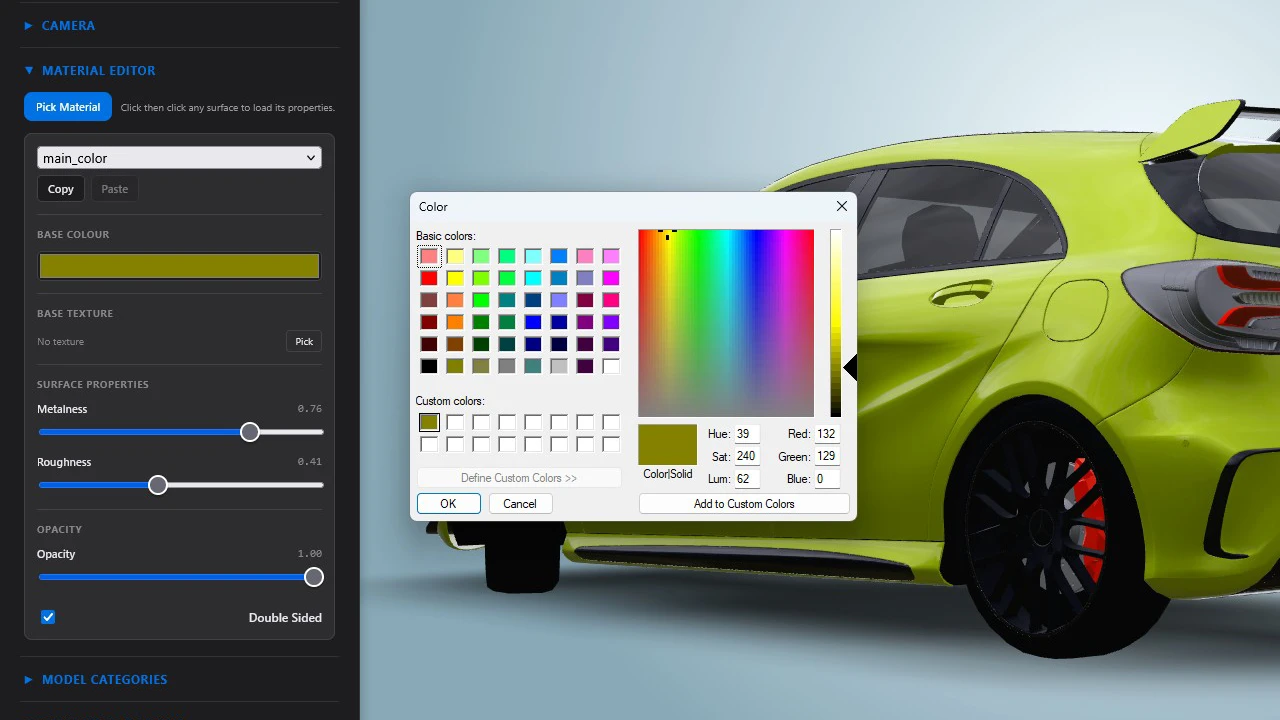
Adjust colour, metalness, roughness, and emissive on any material in the model. Replace textures, toggle double-sided rendering, and copy settings between materials.
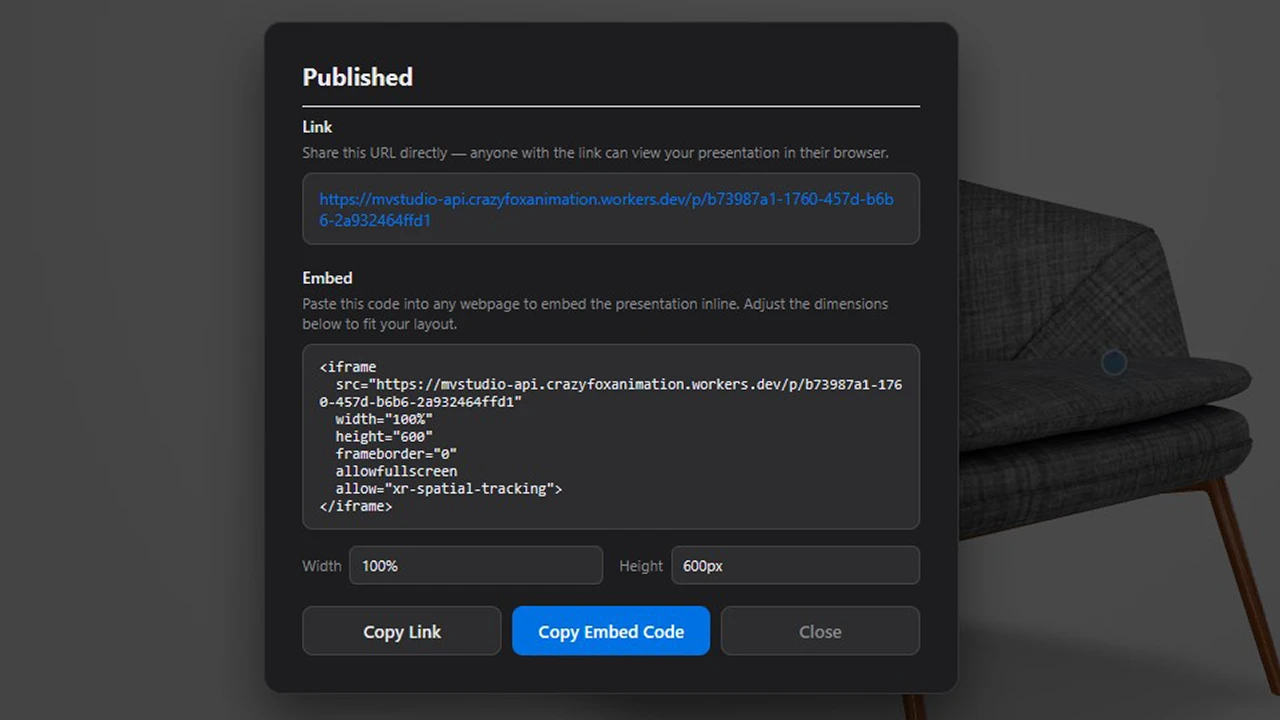
One click publishes your presentation to a permanent URL. Share the link directly or embed it as an iframe. Republishing updates the same URL instantly.
Click any example to open full screen.
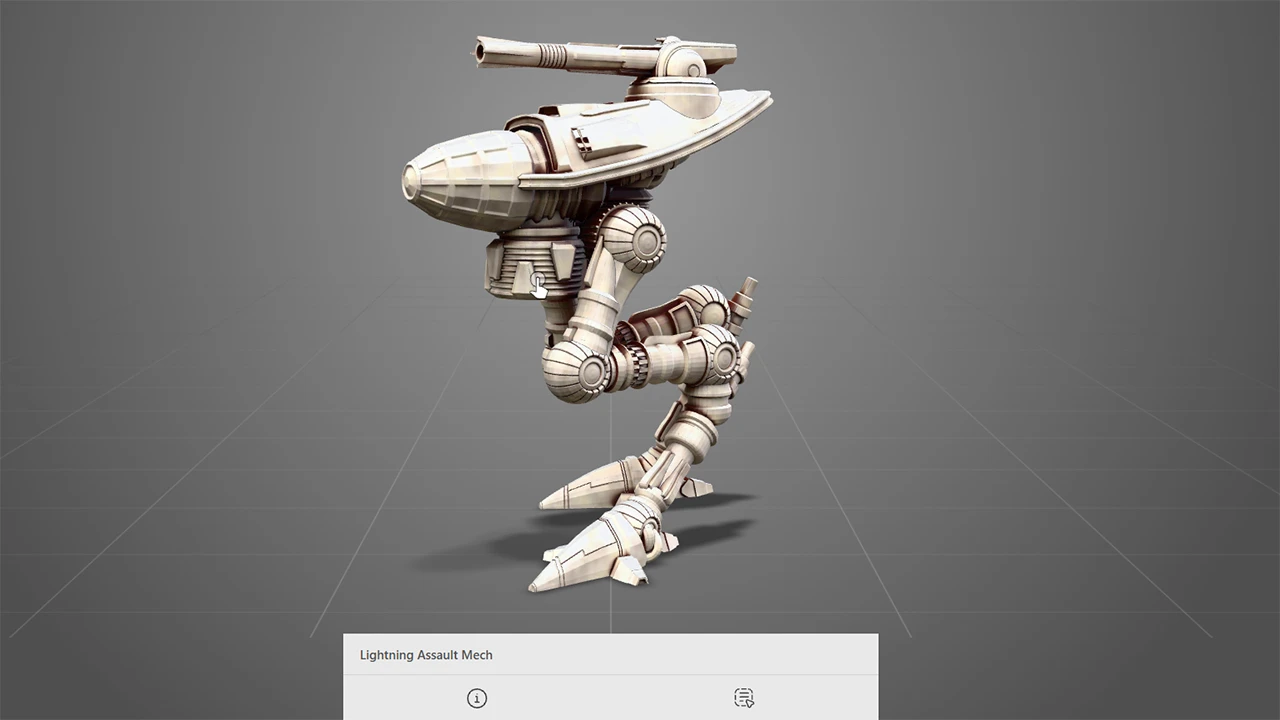

Drag a GLB or GLTF file into the studio. Your model appears in the viewer immediately. No conversion, no upload wait.
Add hotspots, set up variations, build a timeline, adjust lighting and materials. Everything updates live in the viewer as you work.
Click Publish. Copy the iframe code. Paste it into your Shopify product page, WordPress post, or any HTML file. Done.
Want to go deeper? Browse the full documentation.
Load a model, save your project, publish to the cloud, and embed it on a page. No plugins, no developers, no prior experience needed.

Add the embed code to any product page via your theme's code editor, or paste it into a Custom HTML block if your theme supports one. Works on any Shopify plan and with any theme - no Shopify app, no monthly app fee, no approval process.

Use the HTML block in the Gutenberg editor, or switch to the Classic editor's text tab and paste the embed code directly. Works with any WordPress theme - self-hosted or WordPress.com Business plan and above.
No feature tiers, no per-seat fees, no usage limits.
Cancel any time. No long-term contract.
Try the studio free before signing up. No credit card required.
GLB and GLTF. These are the web-native 3D formats supported by all major 3D software including Blender, Cinema 4D, Maya, and most CAD tools. If your model is in another format, export it to GLB first - most tools can do this in one step.
No sign up needed. Jump straight into the studio and try it yourself.
Try the studio freeThe studio is a full 3D editor — like Blender or Figma, it needs a proper screen and keyboard to use. Visit us on your desktop or laptop to get started.
Email this page to myself